Daily System Operation
Selecting an Added System
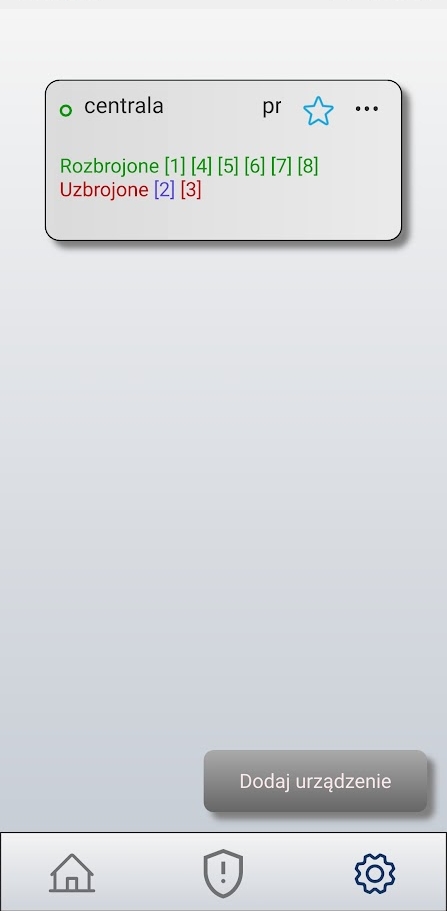
The device list displays previously added alarm systems along with their names and partition status. To access a selected system, double-click its tile in the list.
Partition status is indicated by colors:
- Green — partition disarmed
- Red — partition armed in exit mode
- Blue — partition armed in night mode
- Orange — alarm
Arming and Disarming the System
Double-clicking a selected system opens the Partitions tab screen. The partition status is displayed here differently than in the device list—next to each partition, you’ll see padlock icons indicating the current operating mode. You can arm or disarm a partition individually by clicking the corresponding symbol next to its name, or in bulk by clicking one of the three icons at the bottom of the screen (disarm, night mode, exit mode).
Only partitions that are ready can be armed. Ready status means that all zones assigned to the partition are closed (ready). The name of a partition ready to be armed is displayed in black font; the name of a partition that is not ready is displayed in gray. For partitions that are not ready, the arming icons are also grayed out and unavailable.
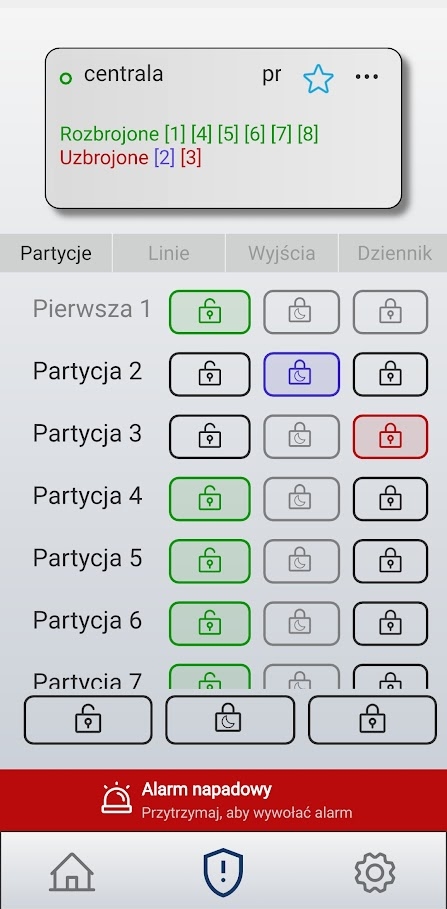
Meaning of the icons next to partitions:
| Icon | Meaning |
|---|---|
 |
Partition disarmed |
 |
Armed in exit mode |
 |
Armed in night mode |
The same three icons at the bottom of the list are used to control all partitions collectively. Below is also the Panic Alarm button (described in a separate chapter).
Status preview and zone bypass
When you go to the Zones tab, a list of the system’s zones is displayed. The status of a zone is indicated by the color of its name: zones that are ready (closed) are displayed in black font, while zones that are not ready (violation / open) are displayed in gray.
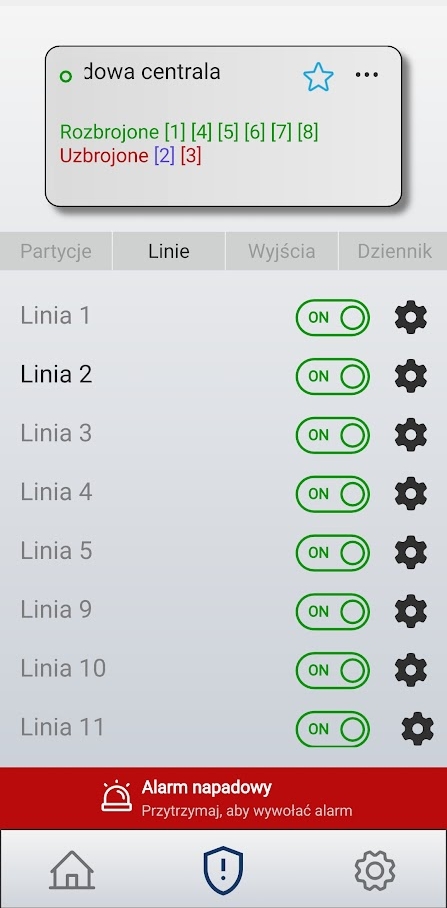
You can bypass zones. A bypassed zone is skipped during the next arming of the partition. The bypass remains active only until the next disarming of the partition to which the zone belongs.
Bypass is enabled using the switch next to the zone:
 — zone bypassed (skipped during arming).